
🔥Microsoft's Windows K2 plan brings back Taskbar positions
This is what’s new and what you can do this week on Windows 11:

Catch up on this week’s top 🔗Windows 11 guides and updates.
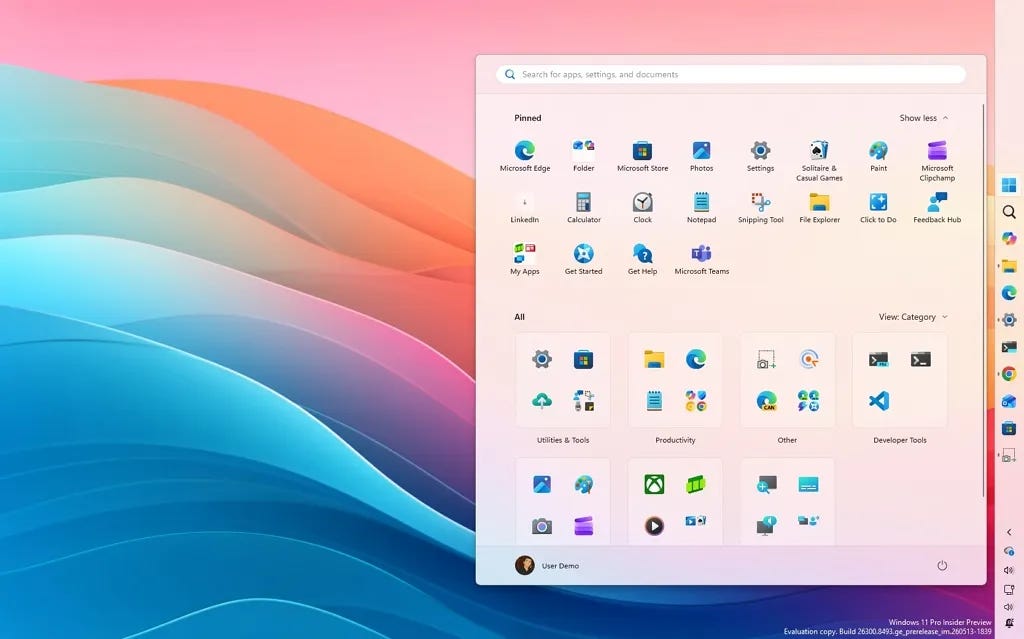
🔗 → Change Taskbar position with native controls on Windows 11 (top, left, right, bottom): Finally, Windows 11 gives back full control over Taskbar placement, and here’s how.
🔗 → Windows 11 regains smaller Taskbar option as part of Windows K2: Microsoft finally shrinks the Taskbar and gives productivity users more screen space.
🔗 → Windows 11 is finally getting movable Taskbar support as part of Windows K2: After years of complaints, the OS is bringing back Taskbar positioning with support for top, left, and right layouts.
🔗 → Windows 11 finally lets you resize the Start menu: The new changes are coming soon.
🔗 → Enable new Taskbar positioning and resizing settings on Windows 11: Microsoft is finally bringing back one of the most requested Taskbar features to Windows 11, and here’s how to enable it.
🔗 → Windows 11 Insider Preview Quality Update (26300.8493): This build pushes a redesigned Taskbar, calmer Widgets, and smarter Search into early testing in the Experimental channel.
🔗 → Windows 11 Insider Preview Quality Update (29591): Microsoft adds Bluetooth audio sharing, update improvements, and Storage fixes to Windows 11 preview builds.
🔗 → Enable new CPU boost (Low Latency Profile) feature on Windows 11: Microsoft is quietly testing a new CPU boost feature designed to make apps and menus feel significantly faster.
Help keep Pureinfotech free & independent.
Support: No paywalls. Honest Windows guides. Free for all.